
SAP SuccessFactors Employee Central time integration
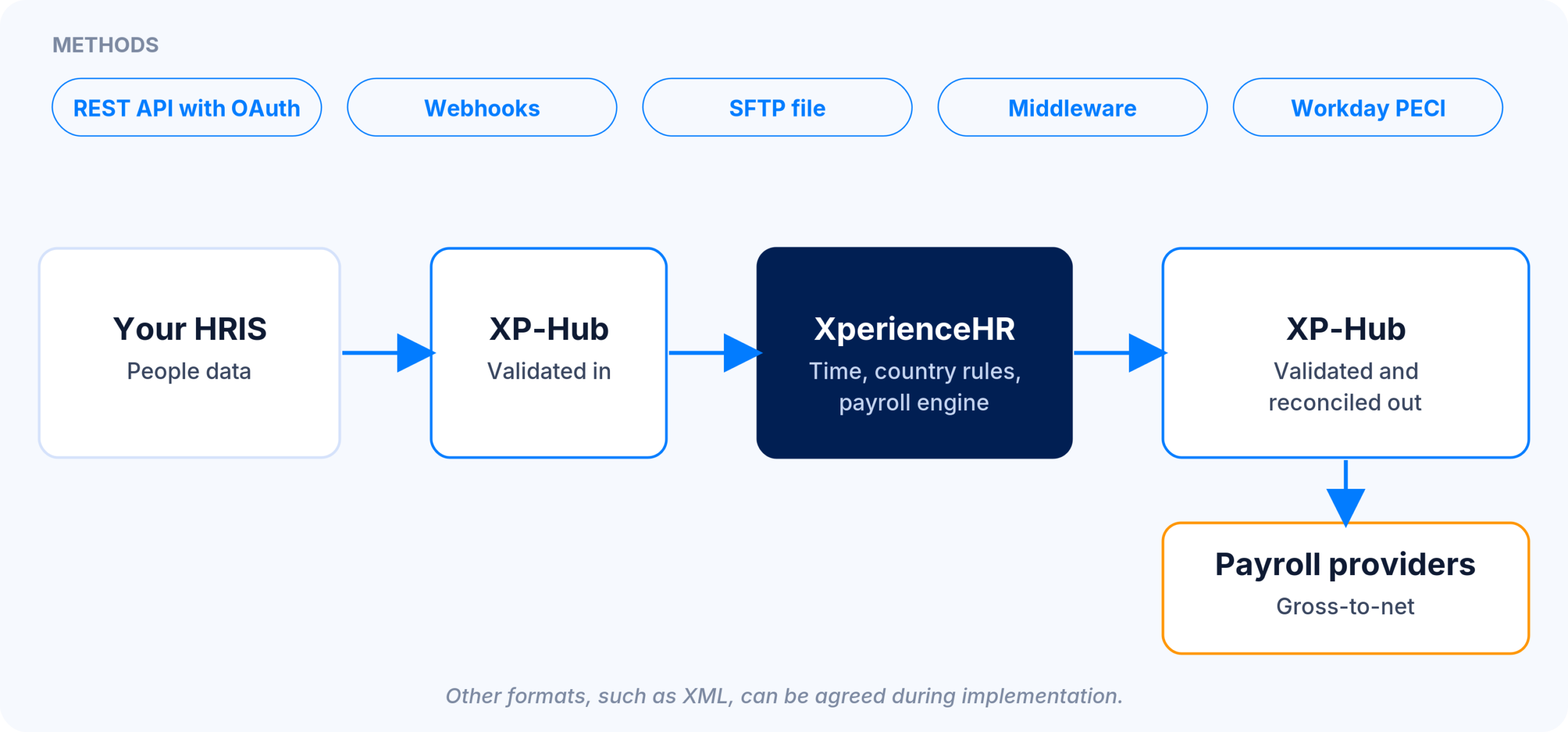
XperienceHR takes employee data from SAP SuccessFactors Employee Central and returns approved time. Employee Central remains the system of record for people and organisation data. XperienceHR records working time and absence, applies country rules and collective agreements, and sends approved results onward to payroll or back to the HR system.
Workday, SAP and ADP integrations · Payroll integration via XP-Hub · 15 years powering global payroll
Data that flows in and out
Illustrative field map. Final fields are agreed during implementation for each Employee Central configuration.
| Direction | Employee Central data | XperienceHR use |
|---|---|---|
| Inbound | Person and user identifier | Employee record and single sign-on identifier |
| Inbound | Hire, rehire and termination events | Create, update or deactivate the employee |
| Inbound | Legal entity, location and organisational unit | Country rules, calendars and approval hierarchy |
| Inbound | Position, employment contract and FTE | Working-time model and overtime thresholds |
| Inbound | Manager relationship | Approval routing |
| Outbound | Approved working time per day | Time results for payroll or reporting |
| Outbound | Leave and absence records | Absence data for the HR system or payroll |
| Outbound | Overtime and premium units on pay codes | Payroll input on agreed pay codes |
How the connection works
XP-Hub, the XperienceHR integration layer, handles the connection by REST API, batch file or middleware, with schema validation and monitoring. A common pattern is a daily JSON file over SFTP containing a full snapshot plus changes. Incoming records are validated, and mismatches are reported back to the HR team. Single sign-on can use the user identifier carried in the HR feed.
| Item | Typical setting |
|---|---|
| Transport | SFTP file or REST API with OAuth |
| Inbound frequency | Daily snapshot plus changes |
| Outbound frequency | Per payroll run or scheduled |
| Format | JSON, CSV or Workday PECI as agreed |
| Error handling | Incoming records are validated and mismatches are reported back |
Setup and implementation steps
1. Confirm scope: countries, legal entities and employee groups covered by XperienceHR alongside Employee Central.
2. Agree the field map: inbound people data and outbound time results, including pay codes.
3. Configure the flow: XP-Hub transport, schedule and validation rules for the Employee Central export.
4. Test with real data: a test load, mismatch review and a parallel run until outputs reconcile.
5. Go live per country: further countries follow on the same flow, with effective-dated configuration.
Limits and prerequisites
- The customer provides the Employee Central export or API access, usually through its own integration tooling.
- XperienceHR does not claim SAP certification or an SAP Store listing for this integration.
- Payroll calculation stays in the payroll system in use. XperienceHR delivers units, not amounts.
- Named customer references for this integration are available only under NDA.
Where XperienceHR adds to SAP SuccessFactors
Shift-based and deskless workforces need terminals, gates, shift planning and collective-agreement premiums. XperienceHR covers these per country within one tenant for all legal entities, while Employee Central stays the people master.
Frequently asked questions about the SAP SuccessFactors integration
Yes. XperienceHR receives employee and organisation data from Employee Central and returns approved time and absence data.
No certification is claimed. The connection runs through XP-Hub by file, API or middleware.
A daily full snapshot plus changes is a common pattern. Frequency is agreed during implementation.
Yes. Single sign-on can use the user identifier carried in the HR feed.
XperienceHR is an alternative time layer where the SAP time module is not rolled out or does not fit shift and deskless staff. Employee Central remains the system of record.
Related: XP-Hub